Storyboard Sheets
Numbered storyboard frames with lines for text
What it does
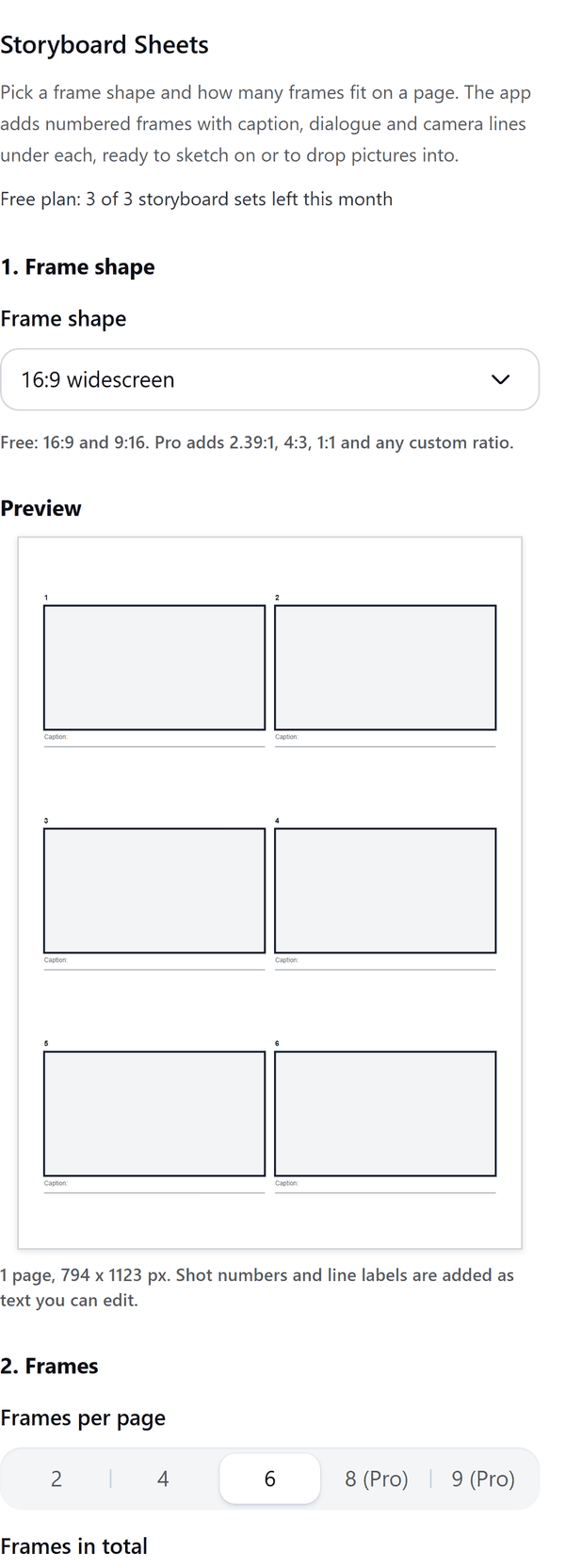
- Draws numbered frames of the shape you pick, in a grid of 2, 4, 6, 8 or 9 to a page, with a preview of the first page
- Puts ruled lines under each frame for a caption, a dialogue line and a camera line, whichever you switch on. If the frames would be too small with every line, the panel tells you which lines it dropped
- Adds the pages to your design as shapes you can sketch over; shot numbers and line labels are text you can edit, and the ruled lines are grouped by kind so you can delete a whole kind at once
- Lets you set the first shot number, the page size, the page direction and the margin
- Pro: a title and scene header, and pictures you choose from your computer, which go into the frames in the order you chose them, each cropped to the frame shape
How to use it
- Open a design and open Storyboard Sheets from the Apps tab.
- Under Frame shape choose the shape. Under Frames pick how many fit on a page and how many frames there are in all.
- Under Text under each frame switch on the lines you want. Under Page choose the size, direction and margin.
- Look at the Preview, then press the Add storyboard to design button.
Free and Pro
Plan limits reset each calendar month (UTC). Pro is billed through Polar.
| Free | Pro | |
|---|---|---|
| Storyboard sets a month | 3 | Unlimited |
| Frame shapes | 16:9 and 9:16 | Also 2.39:1, 4:3, 1:1 and a custom ratio |
| Frames per page | 2, 4 or 6 | Also 8 and 9 |
| Frames in one set | Up to 12 | Up to 120 |
| Text under each frame | Caption line | Also dialogue and camera lines |
| Title and scene header | No | Yes |
| Pictures in the frames | No | Yes |
| Page size and margin | A4 or US Letter, three margins | A4 or US Letter, three margins |
| Price | $0 | $5 per month or $35 per year |
Manage your Pro licence
You get a licence key by email after you buy Pro. Paste it into the app and press Activate licence. To use the key on another Canva account, press Deactivate this licence first. To restore Pro after a reinstall or on a new device, activate the same key again. To cancel, use the link in your Polar receipt email. Full steps: buying, restoring and managing Pro.
FAQ
What counts as one storyboard set?
Each press of Add storyboard to design is one set, however many pages it adds.
How many frames can I have?
The Free plan allows up to 12 frames in a set. Pro allows up to 120.
Can I put pictures in the frames?
With Pro. Choose JPEG, PNG or WebP pictures from your computer. They go into the frames in the order you chose them, starting at the first shot number, each cropped to the frame shape. Frames without a picture stay empty to sketch in.
Can I edit the text after adding it?
Yes. Shot numbers and line labels are text you can edit. Click a shot number or a line label to change it.
Do my pictures leave my computer?
No. They are read and cropped in your browser, and only the cropped picture is added to your design through Canva. Our server only counts your monthly storyboard sets.
What if the design fills up?
Canva limits the number of pages in a design. The panel tells you how many pages went in so you can add the rest in a new design.
How do I get help?
Email [email protected] with the app name and a short description of what happened. Do not send your full licence key.
What data does this app keep?
See the Privacy Policy. In short: designs and images stay in your browser; our server keeps your Canva user and brand ids, monthly usage counts and your licence status.