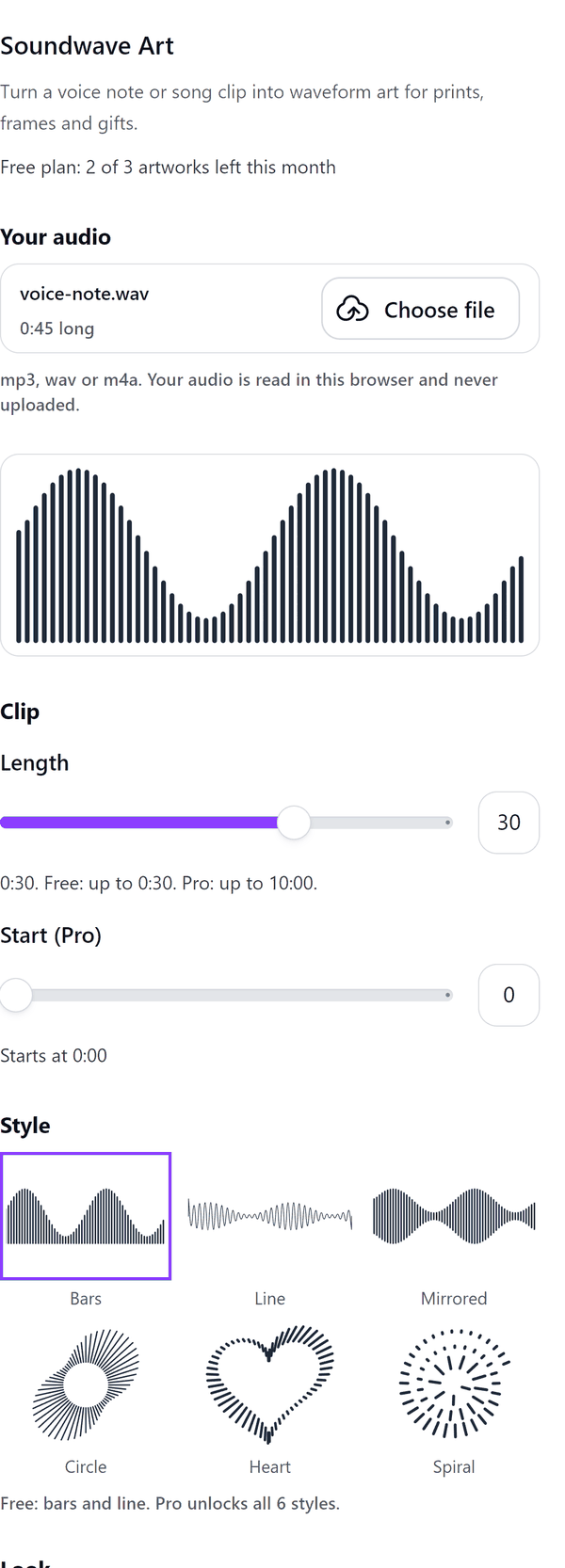
Soundwave Art
Waveform art from a voice note or song clip, made in your browser
What it does
- Opens an mp3, wav or m4a file you choose, reads it in your browser and draws its waveform
- Shows a live preview with a sample wave until you add your own audio
- Adds the wave to your design as one vector image, with the title and date as text you can restyle
- Lets you choose the colour, the smoothing and, on Pro, a gradient, the number of bars and where the clip starts
- Pro: circle, heart, spiral and mirrored styles, clips of up to 10 minutes and a QR code to a link you type
- Files can be up to 60 MB and recordings up to 30 minutes; cut a longer one down first
How to use it
- Open a design and open Soundwave Art from the Apps tab.
- Under Your audio press Choose file and pick an mp3, wav or m4a file.
- Choose a Style and a Colour, set the Length of the clip, and type a Title and Date if you want them.
- Check the Preview and press Add to design.
Free and Pro
Plan limits reset each calendar month (UTC). Pro is billed through Polar.
| Free | Pro | |
|---|---|---|
| Artworks a month | 3 | Unlimited |
| Styles | Bars and line | All 6: also mirrored, circle, heart and spiral |
| Clip length | Up to 30 seconds | Up to 10 minutes |
| Choose where the clip starts | No | Yes |
| Gradient colour | No | Yes |
| Number of bars | Default | You choose |
| Title and date | Yes | Yes |
| QR code | No | Yes |
| Price | $0 | $5 per month or $35 per year |
Manage your Pro licence
You get a licence key by email after you buy Pro. Paste it into the app and press Activate licence. To use the key on another Canva account, press Deactivate this licence first. To restore Pro after a reinstall or on a new device, activate the same key again. To cancel, use the link in your Polar receipt email. Full steps: buying, restoring and managing Pro.
FAQ
Is my audio uploaded?
No. Your audio is read in this browser and never uploaded. Our server only counts your monthly artworks.
Can I record with a microphone?
No. Choose an audio file: a voice note or song clip saved as mp3, wav or m4a.
Which files work?
mp3, wav and m4a files up to 60 MB and up to 30 minutes long. The free plan draws up to 30 seconds of a clip; Pro draws up to 10 minutes.
Can I print it large?
Yes. The wave is one vector image, so you can print it as large as you like. The name and date are text you can restyle.
What does the QR code link to?
Whatever web link you type, such as the song or voice note online. Your audio is not uploaded for it.
Why can I preview Pro options on the free plan?
You can look at Pro styles and options in the preview, but adding the artwork with them needs Pro.
How do I get help?
Email [email protected] with the app name and a short description of what happened. Do not send your full licence key.
What data does this app keep?
See the Privacy Policy. In short: designs and images stay in your browser; our server keeps your Canva user and brand ids, monthly usage counts and your licence status.