Seamless Patterns
A repeating tile from any image, with a live repeat preview
What it does
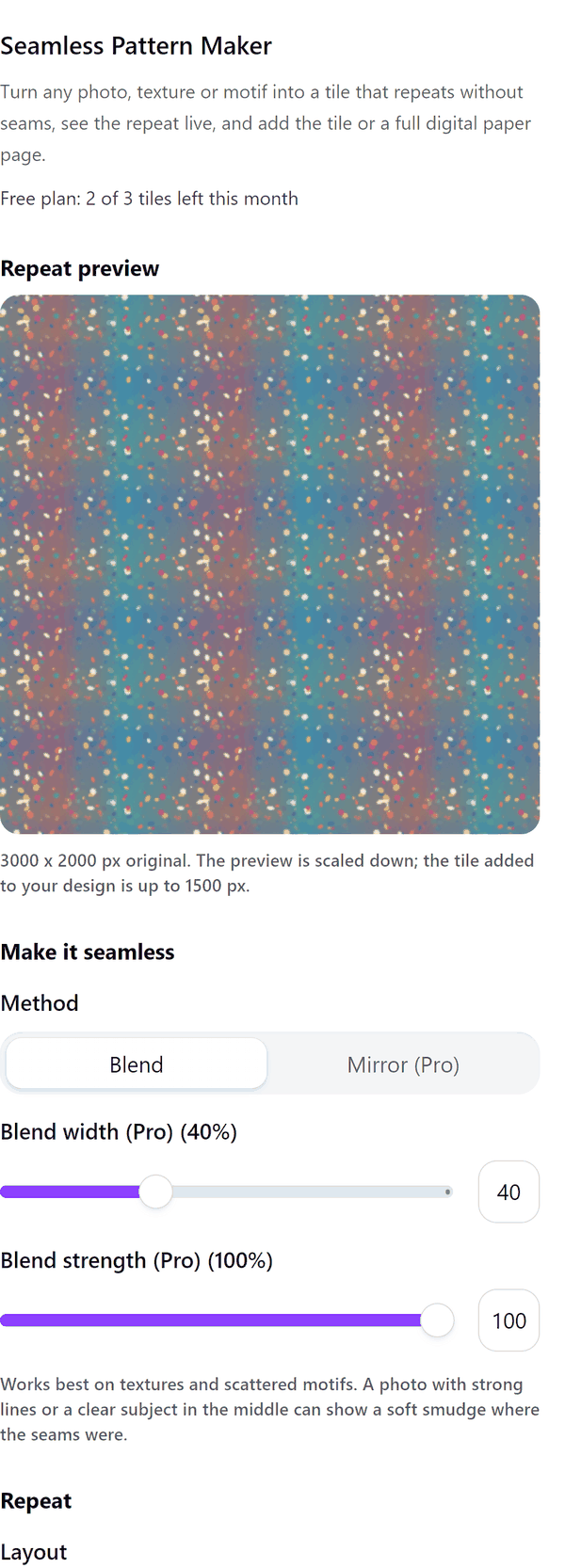
- Reads the image you select and blends its edges so the tile repeats without a visible seam
- Shows a live preview of the repeat in the panel, with a choice of how many tiles across
- Adds the finished tile to your design
- Pro: a mirror method, half-drop and brick repeats, blend width and strength, and colourways that shift the colours of the tile
- Pro: adds a digital paper page filled with the repeat at 300 dpi, at 12 x 12 in, Letter, A4 or a custom size of 2 to 14 in
- Pro: makes a tile of every image on the page, up to 12 at a time
How to use it
- Open a design, add an image to the page and click it so it is selected.
- Open Seamless Patterns from the Apps tab. The panel shows a repeat preview of your image.
- Check the repeat preview. Change Tiles across to see more or fewer repeats.
- Press Add tile to design. The tile is added to your design.
Free and Pro
Plan limits reset each calendar month (UTC). Pro is billed through Polar.
| Free | Pro | |
|---|---|---|
| Tiles a month | 3 | Unlimited |
| Blend method | Yes | Yes |
| Mirror method | No | Yes |
| Repeat | Grid | Grid, half-drop or brick |
| Blend width and strength | No | Yes |
| Colourways | No | Up to 6 |
| Image size read | Up to 1500 px | Up to 4000 px |
| Digital paper page | No | Yes |
| A tile of every image on the page | No | Yes |
| Price | $0 | $5 per month or $35 per year |
Manage your Pro licence
You get a licence key by email after you buy Pro. Paste it into the app and press Activate licence. To use the key on another Canva account, press Deactivate this licence first. To restore Pro after a reinstall or on a new device, activate the same key again. To cancel, use the link in your Polar receipt email. Full steps: buying, restoring and managing Pro.
FAQ
What kinds of image work best?
Textures, scattered motifs and patterns. A photo with strong lines or a clear subject in the middle can show a soft smudge where the seams were.
What does the mirror method do?
It mirrors the image in four directions so the tile is symmetric and repeats exactly. It is a Pro option.
What is a digital paper page?
A page filled with your tile repeated, made at 300 dpi at a standard paper size, for printing or selling as a pattern sheet. It is a Pro option.
Does my image leave my computer?
No. The tile is made in your browser. Our server only counts your monthly tiles.
What happens to a very large image?
It is read at up to 1500 px on the long side on Free and up to 4000 px on Pro. The panel tells you when an image was scaled down.
Can I make tiles from many images at once?
Yes, on Pro. It makes a tile of each image on the page, up to 12 at a time. An image that cannot be read is skipped and not counted.
How do I get help?
Email [email protected] with the app name and a short description of what happened. Do not send your full licence key.
What data does this app keep?
See the Privacy Policy. In short: designs and images stay in your browser; our server keeps your Canva user and brand ids, monthly usage counts and your licence status.