Recipe Cards
A recipe card from text you paste or type
What it does
- Works from text you paste or type. It does not fetch recipes from web pages, because many recipe sites do not allow copying
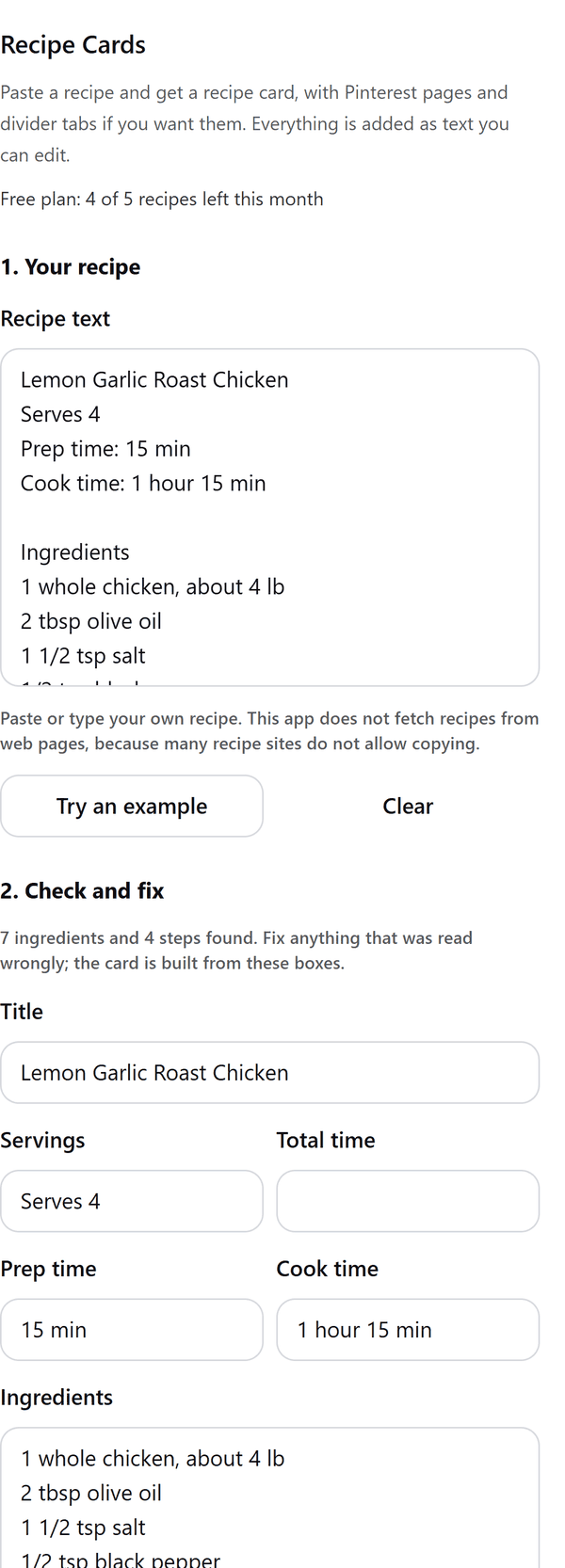
- Reads the title, servings, times, ingredients, steps and notes from your text and puts each in a box so you can fix anything that was read wrongly; the card is built from those boxes
- Shows a preview of the card, and of the pin pages and tabs if you switch them on, before anything is added
- Adds the recipe to your design as pages whose names and quantities are text you can edit. If Canva's library does not have a font, those texts use the design's own font and the panel says so
- Tells you when a recipe is too long for the card at a readable size, and suggests shortening it, a larger card or a pin page
- Pro: A5 cards, more looks and fonts, the serving scaler, Pinterest pin pages, a back card and divider tabs
How to use it
- Open a design and open Recipe Cards from the Apps tab.
- Under Your recipe paste or type your own recipe: the title, then the ingredients and the method. Or press Try an example.
- Under Check and fix correct anything that was read wrongly. Under Card choose the size, direction and look, and look at the Preview.
- Under Also add choose what to add, then press the Add button at the bottom.
Free and Pro
Plan limits reset each calendar month (UTC). Pro is billed through Polar.
| Free | Pro | |
|---|---|---|
| Recipes a month | 5 | Unlimited |
| Card sizes | 4 x 6 in and 5 x 7 in | Also A5 |
| Looks | Classic and Modern | Also Rustic, Minimal and Garden |
| Fonts | Your design's font | Also 3 font pairs |
| Serving scaler | No | Yes |
| Pin pages | No | 1000 x 1500 px and 1000 x 2100 px |
| Back card for a long recipe | No | Yes |
| Divider tabs | No | 12 tabs with your labels |
| Price | $0 | $5 per month or $35 per year |
Manage your Pro licence
You get a licence key by email after you buy Pro. Paste it into the app and press Activate licence. To use the key on another Canva account, press Deactivate this licence first. To restore Pro after a reinstall or on a new device, activate the same key again. To cancel, use the link in your Polar receipt email. Full steps: buying, restoring and managing Pro.
FAQ
Does it fetch a recipe from a web page?
No. It works from text you paste or type. It does not fetch recipes from websites, because many recipe sites do not allow copying.
How should I write the recipe?
Put the title first, then the ingredients, one per line, and the steps, one per line without numbers. End an ingredient line with a colon to make a group heading, such as For the sauce:.
What if my recipe is too long for the card?
The panel tells you. Shorten the steps, use a larger card or make a pin page instead. With Pro a long recipe can have a back card.
What does the serving scaler do?
With Pro, it multiplies every quantity and the servings. Lines with no number, such as salt to taste, stay as they are.
Can I edit the card after adding it?
Yes. Names and quantities are added as text you can edit, so you can also change fonts and colours.
Does my recipe leave my computer?
No. The pages are made in your browser and added to your design through Canva. Our server only counts your monthly recipes.
How do I get help?
Email [email protected] with the app name and a short description of what happened. Do not send your full licence key.
What data does this app keep?
See the Privacy Policy. In short: designs and images stay in your browser; our server keeps your Canva user and brand ids, monthly usage counts and your licence status.