Paint by Numbers
A paint by numbers kit from any photo: outline, colour key and preview
What it does
- Reads the photo you select on the page and turns it into numbered areas, each with a number placed inside it
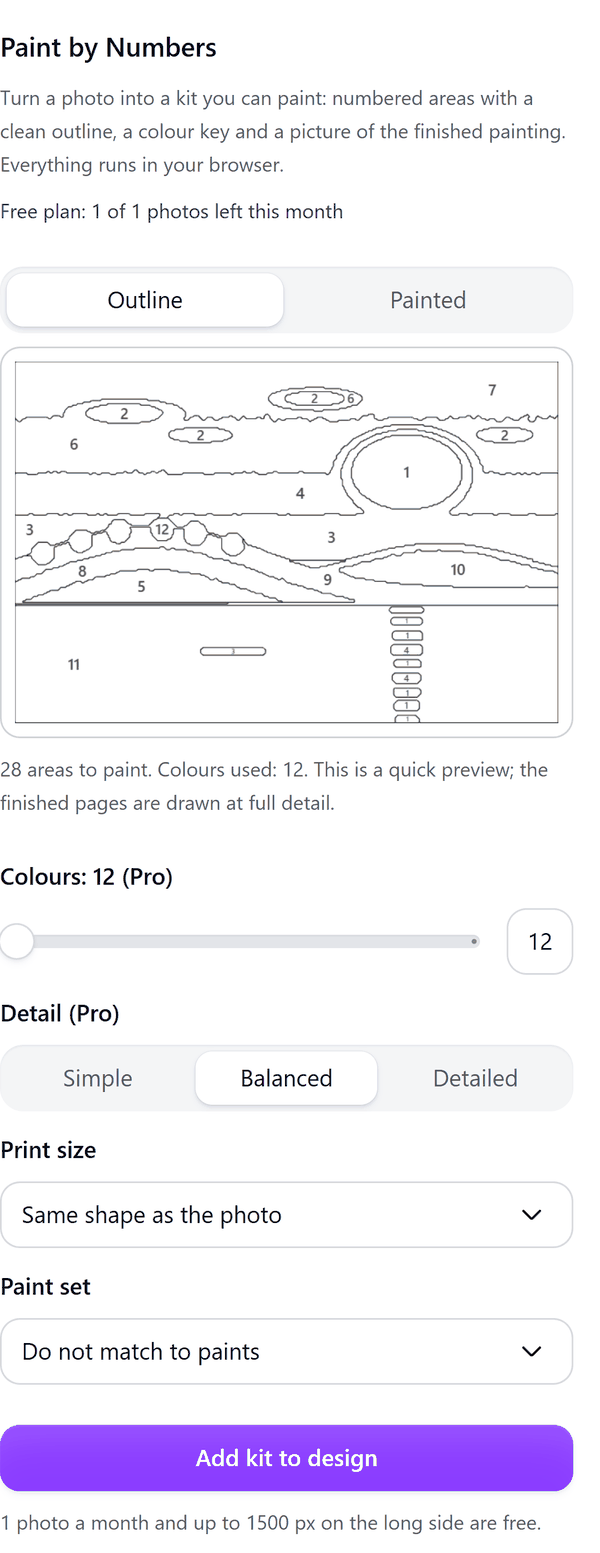
- Shows a preview in the panel: Outline for the numbered areas and Painted for the finished picture
- Adds three pages to your design: the numbered outline, a painted preview and the colour key
- Pro: sets the number of colours from 12 to 36 and the detail level (Simple, Balanced or Detailed)
- Pro: matches each colour to a paint set (Basic 12, Classic 24 or Studio 33 paints) with a mixing note for colours the set does not hold; paint names are generic and the shades are approximate
- Pro: draws the outline at 16 x 20 in or 40 x 50 cm and can split it across US Letter or A4 sheets with crop marks, to print at home and tape together
How to use it
- Open a design, add a photo to the page and click it so it is selected.
- Open Paint by Numbers from the Apps tab. The panel shows a preview of the numbered outline. Press Painted to see the painted preview.
- Check the area and colour count under the preview.
- Press Add kit to design. Three pages are added: the numbered outline, a painted preview and the colour key.
Free and Pro
Plan limits reset each calendar month (UTC). Pro is billed through Polar.
| Free | Pro | |
|---|---|---|
| Photos a month | 1 | Unlimited |
| Colours | 12 | 12 to 36 |
| Detail | Balanced | Simple, Balanced or Detailed |
| Photo size read | Up to 1500 px | Up to 4000 px |
| Paint set matching (Basic 12, Classic 24, Studio 33) | No | Yes |
| Print sizes 16 x 20 in and 40 x 50 cm, split onto Letter or A4 sheets | No | Yes |
| Price | $0 | $6 per month or $39 per year |
Manage your Pro licence
You get a licence key by email after you buy Pro. Paste it into the app and press Activate licence. To use the key on another Canva account, press Deactivate this licence first. To restore Pro after a reinstall or on a new device, activate the same key again. To cancel, use the link in your Polar receipt email. Full steps: buying, restoring and managing Pro.
FAQ
How is this different from Stitch Patterns?
Paint by Numbers makes free-form painted regions from a photo. Stitch Patterns makes grid stitch charts. They are for different crafts.
Which photos work best?
Photos with clear shapes and good light make the best kits. A photo that is one flat colour gives no usable areas.
Are the paint names real products?
No. Paint names are generic and the shades are approximate. Test a mix on scrap paper before you paint.
Does my photo leave my computer?
No. Everything runs in your browser. Our server only counts your monthly photos.
What counts towards the monthly limit?
One photo made into a kit. If you press Stop, nothing is added and your allowance is not used.
Why does the panel ask me to click just one photo?
The app makes one kit at a time. If more than one image is selected on the page, select a single photo.
How do I get help?
Email [email protected] with the app name and a short description of what happened. Do not send your full licence key.
What data does this app keep?
See the Privacy Policy. In short: designs and images stay in your browser; our server keeps your Canva user and brand ids, monthly usage counts and your licence status.