Menu Builder
A styled menu page from typed text, with dot leaders and aligned prices
What it does
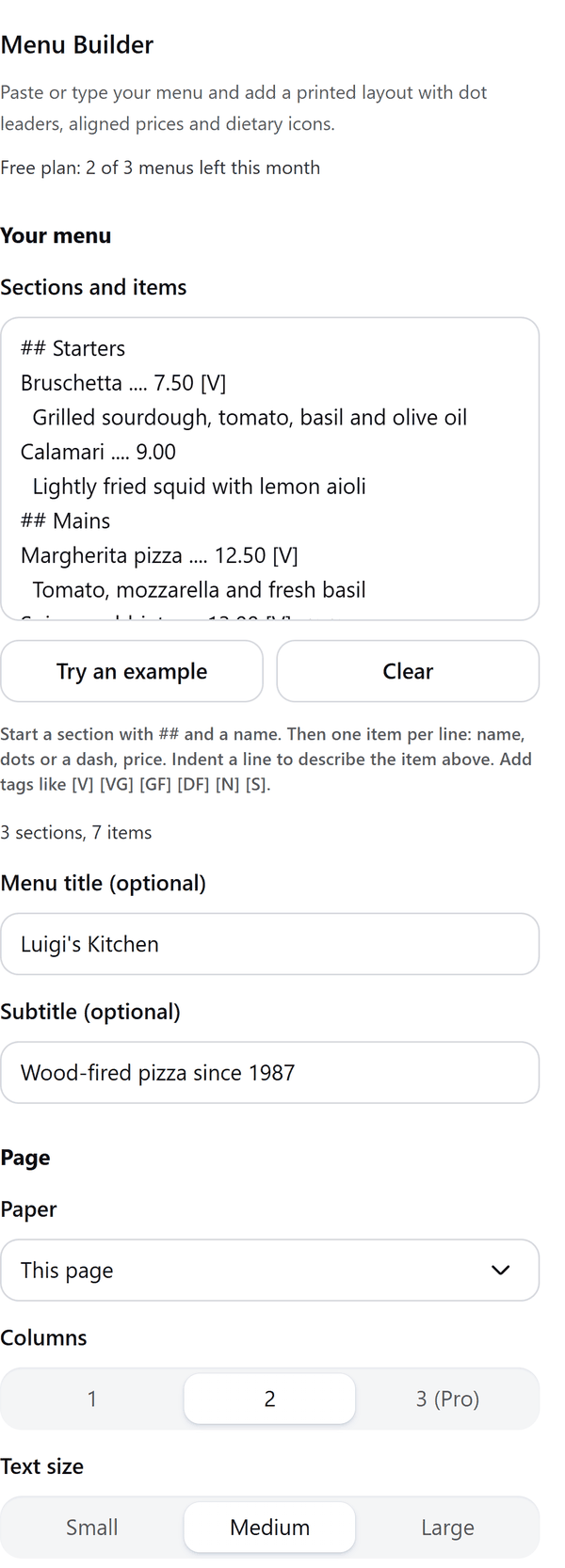
- Reads your menu text: a line starting with ## starts a section, then one item per line with its name, dots or a dash and a price; an indented line describes the item above
- Turns tags such as [V], [VG], [GF], [DF], [N] and [S] into dietary icons
- Draws the menu with dot leaders, aligned prices and a title and subtitle you can add, in the style you choose, and shows a preview
- Adds the menu to your design with every name, price and description as its own text, grouped with the dot leaders
- Makes the text smaller when needed so the whole menu fits, and tells you when it did
- Pro: longer menus over several pages, three columns, tri-fold and table tent layouts, more styles, two price columns, currency formats and a key for the icons
How to use it
- Open a design and open Menu Builder from the Apps tab.
- Under Sections and items type or paste your menu, or press Try an example. Add a title and subtitle if you like.
- Choose the Paper, Columns, Text size, Prices and a Style, and check the Preview.
- Press Add menu to design. The menu is added to your design.
Free and Pro
Plan limits reset each calendar month (UTC). Pro is billed through Polar.
| Free | Pro | |
|---|---|---|
| Menus a month | 3 | Unlimited |
| Items | Up to 25 | More than 25 |
| Pages | One page | Menus of more than one page |
| Columns | 1 or 2 | Also 3 |
| Paper | Letter, A4, A5 or this page | Also tri-fold (Letter, 3 panels) and table tent (4 x 6 in faces) |
| Styles | 3 | 12 |
| Prices | One price column | Also small and large columns and currency formats |
| Dietary icons from tags | Yes | Yes |
| Printed key for the icons | No | Yes |
| CSV import | No | Yes |
| Price | $0 | $5 per month or $35 per year |
Manage your Pro licence
You get a licence key by email after you buy Pro. Paste it into the app and press Activate licence. To use the key on another Canva account, press Deactivate this licence first. To restore Pro after a reinstall or on a new device, activate the same key again. To cancel, use the link in your Polar receipt email. Full steps: buying, restoring and managing Pro.
FAQ
How do I write the menu?
Start a section with ## and a name. Then write one item per line: name, dots or a dash, price. Indent a line to describe the item above. Add tags like [V] [VG] [GF] [DF] [N] [S].
What if the menu is too long for the page?
The text is made smaller so the whole menu fits, and the panel tells you. Pro can run a menu over several pages.
Can I edit the menu afterwards?
Yes. Every name, price and description is its own text in your design, grouped with the dot leaders. If a page cannot group items, they are added separately and the panel says so.
What does the price column option do?
Pro can show two price columns, for example small and large, with headings you choose. Free shows one price per item.
Does my menu leave my computer?
No. The menu is made in your browser. Our server only counts your monthly menus.
Which tags make icons?
[V] vegetarian, [VG] vegan, [GF] gluten free, [DF] dairy free, [N] contains nuts and [S] spicy.
How do I get help?
Email [email protected] with the app name and a short description of what happened. Do not send your full licence key.
What data does this app keep?
See the Privacy Policy. In short: designs and images stay in your browser; our server keeps your Canva user and brand ids, monthly usage counts and your licence status.