Maths Drill Sheets
Arithmetic worksheets with an answer key and a seed code
What it does
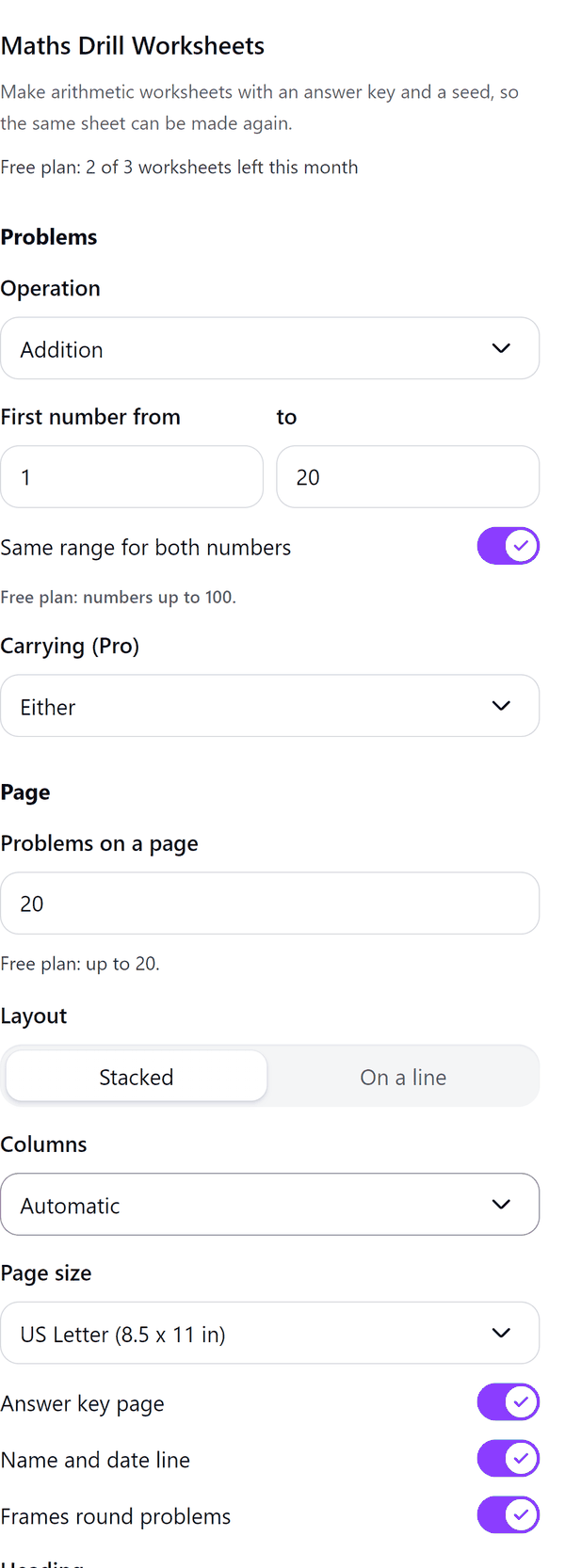
- Makes worksheet pages of arithmetic problems, stacked or on a line, in the columns you choose, with an optional name and date line, heading and frames
- Adds an answer key page after the worksheets when you switch it on
- Prints a seed code, such as 4821, small on every page, so the same sheet can be made again
- Shows a preview of a page, the worksheet or its answer key, drawn from the same problems that are written
- Counts a worksheet for each worksheet page; answer key pages do not count
- Pro: more operations, bigger numbers, carrying and borrowing controls, times-table sheets, up to 100 problems, more page sizes, typing a seed and several pages from one seed
How to use it
- Open a design and open Maths Drill Worksheets from the Apps tab.
- Under Problems choose the Operation and the number ranges. Under Page choose the Problems on a page, the Layout and the Page size.
- Switch the Answer key page on or off and check the Preview of the worksheet and the answer key.
- Press the Add button at the bottom. The pages are added to your design.
Free and Pro
Plan limits reset each calendar month (UTC). Pro is billed through Polar.
| Free | Pro | |
|---|---|---|
| Worksheets a month | 3 | Unlimited |
| Operations | Addition and subtraction | Also multiplication, division and mixed |
| Numbers | Up to 100 | Up to 1,000,000 |
| Problems on a page | Up to 20 | Up to 100 |
| Page sizes | Letter and A4 | Also A5 and book sizes |
| Carrying and borrowing, times-table sheets | No | Yes |
| Typing a seed, several pages from one seed | No | Yes |
| Answer key page | Yes | Yes |
| Price | $0 | $5 per month or $35 per year |
Manage your Pro licence
You get a licence key by email after you buy Pro. Paste it into the app and press Activate licence. To use the key on another Canva account, press Deactivate this licence first. To restore Pro after a reinstall or on a new device, activate the same key again. To cancel, use the link in your Polar receipt email. Full steps: buying, restoring and managing Pro.
FAQ
What counts as a worksheet?
Each worksheet page counts as one worksheet. Answer key pages do not count. The free plan makes one page per run and 3 worksheets a month.
What is the seed?
A code printed small on every page, such as 4821. Typing a seed from a printed page, such as 4821 or 4821-3, makes that sheet again. Typing a seed is a Pro feature.
Can I make several pages at once?
Yes, on Pro. Choose Pages from this seed. Each page has its own problems and its own code, such as 4821-2.
What do the carrying and borrowing controls do?
Pro only. They let you choose that every problem needs carrying or borrowing, that none does, or leave it open.
What if my design gets full?
Canva limits the pages in a design. The pages already added stay in your design and the panel tells you how many went in.
Does my worksheet leave my computer?
No. The pages are made in your browser. Our server only counts your monthly worksheets.
How do I get help?
Email [email protected] with the app name and a short description of what happened. Do not send your full licence key.
What data does this app keep?
See the Privacy Policy. In short: designs and images stay in your browser; our server keeps your Canva user and brand ids, monthly usage counts and your licence status.