Mandala Pages
Symmetric mandala colouring pages, one page or a batch
What it does
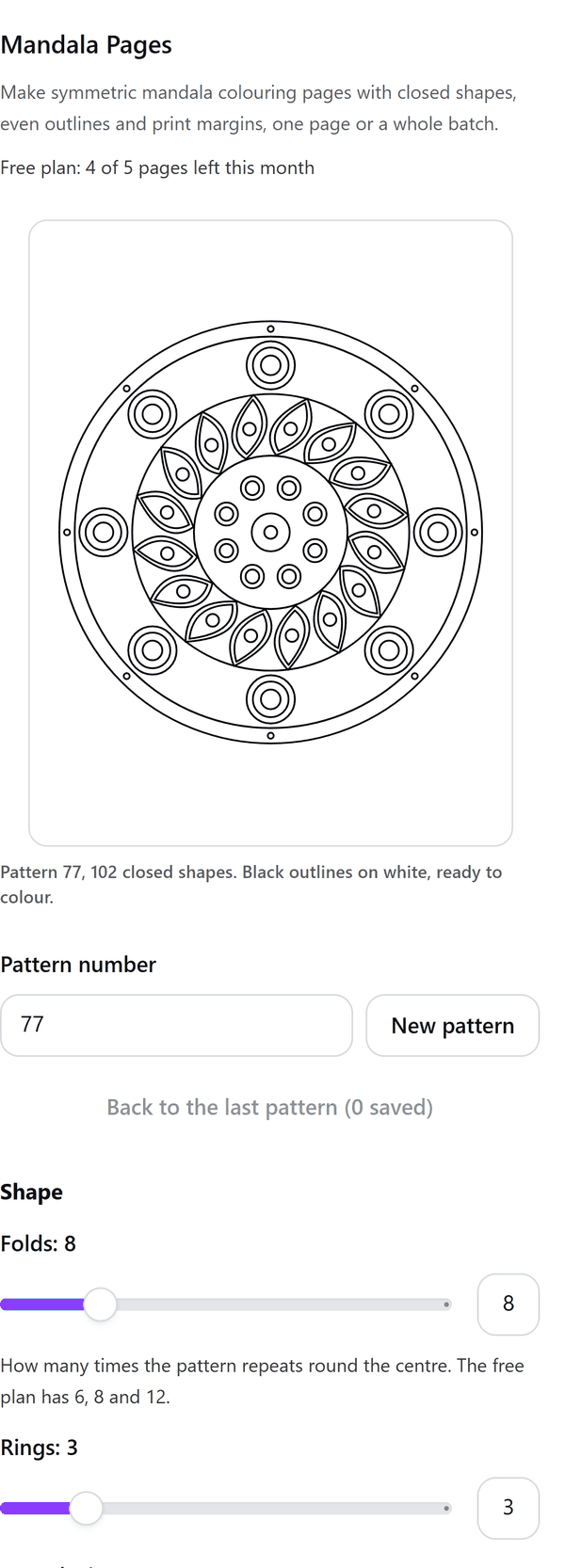
- Draws a symmetric mandala from a pattern number: the same number and settings always give the same pattern, so you can come back to one you liked
- Keeps every shape closed and the outlines even, black on white, so the page is ready to colour, with a clear margin round the drawing for printing
- Adds the page with the drawing as one vector picture, and an optional title and Colour me footer as text boxes you can edit
- Warns you when only some rings fit at the line weight and folds you chose, so every shape stays big enough to colour
- Pro: more folds, rings, detail, shapes and line weights, a square page, and a batch of up to 20 pages, each with the next pattern number. If a batch stops early you can continue from the page where it stopped
How to use it
- Open a design and open Mandala Pages from the Apps tab.
- Under Pattern number type a number or press New pattern. Under Shape set the folds, rings and complexity and choose the shapes to use.
- Under Page choose the page size and, if you like, add a title and the Colour me footer. Look at the Preview.
- Press the Add page button.
Free and Pro
Plan limits reset each calendar month (UTC). Pro is billed through Polar.
| Free | Pro | |
|---|---|---|
| Pages a month | 5 | Unlimited |
| Folds | 6, 8 or 12 | 4 to 24 |
| Rings | Up to 3 | Up to 8 |
| Complexity | Up to 3 | Up to 5 |
| Mirror mode | No | Yes |
| Shapes | Petal, Teardrop, Dots | Also Scallop, Leaf, Star point |
| Line weight | Standard | Also Fine, Bold and Heavy |
| Page size | US Letter, A4 | Also 8.5 x 8.5 in square |
| Pages at a time | 1 | Up to 20 |
| Price | $0 | $5 per month or $35 per year |
Manage your Pro licence
You get a licence key by email after you buy Pro. Paste it into the app and press Activate licence. To use the key on another Canva account, press Deactivate this licence first. To restore Pro after a reinstall or on a new device, activate the same key again. To cancel, use the link in your Polar receipt email. Full steps: buying, restoring and managing Pro.
FAQ
What is the pattern number?
The same pattern number and settings always give the same mandala. Press New pattern for another one, or type a number you liked before.
Are the pages suitable for printing?
The drawing is black outlines on white with a clear margin round it, made for printing. They suit printables and books you make.
Can I edit the page in Canva?
The drawing is one vector picture. The title and the footer are ordinary text boxes you can edit.
What if a batch stops early?
If the design fills up, open a new design and choose Continue from the page the panel names. The pages already added stay in your design.
What counts towards the monthly pages?
Each page added to a design is one page.
Does my design leave my computer?
No. The pattern is made in your browser and added to your design through Canva. Our server only counts your monthly pages.
How do I get help?
Email [email protected] with the app name and a short description of what happened. Do not send your full licence key.
What data does this app keep?
See the Privacy Policy. In short: designs and images stay in your browser; our server keeps your Canva user and brand ids, monthly usage counts and your licence status.