Gang Sheet Builder
Pack many designs onto one sheet of film, ready to order
What it does
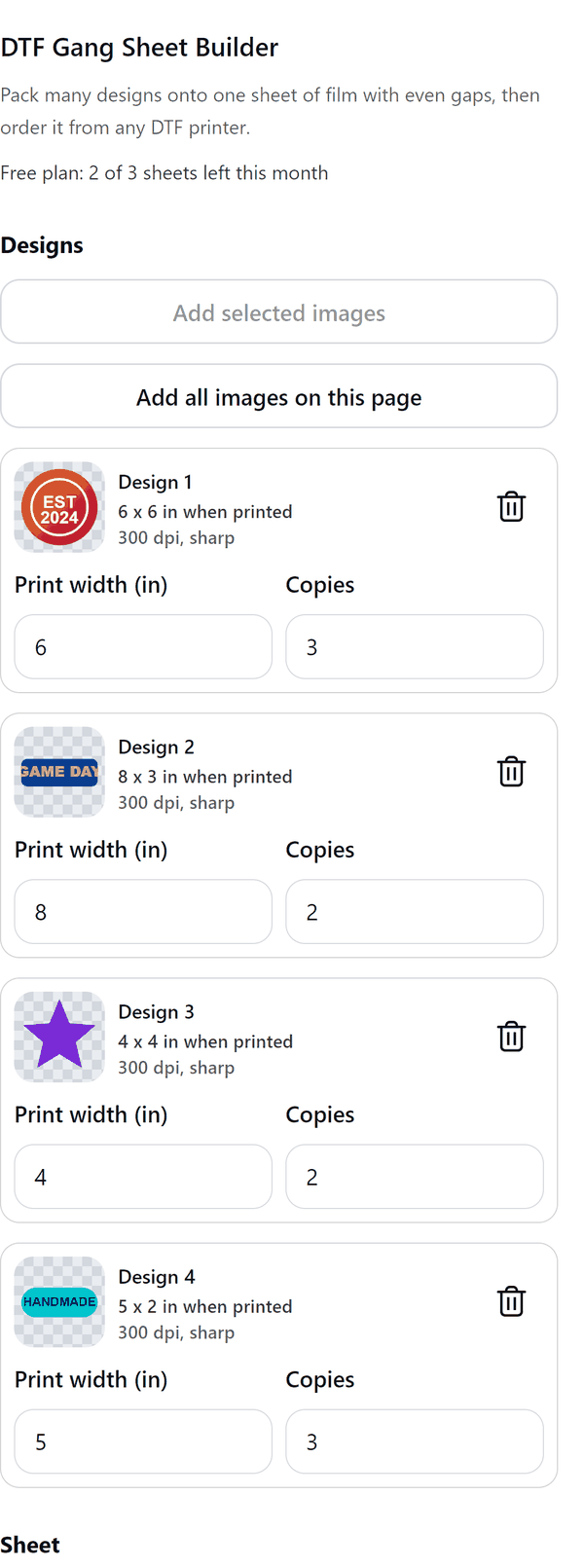
- Reads the images you select on the page, or every image on the page, and trims the empty transparent edges so they do not waste film
- Lets you set a print width and a number of copies for each design
- Packs the designs onto a sheet with an even gap in millimetres and a margin in inches
- Shows the film used, the film efficiency, the number of sheets, the copies placed and an estimated cost from your printer's price per foot
- Warns when a design has fewer than 300 dpi at the chosen size and may print soft
- Pro: rotate designs a quarter turn to save film, repeat small designs into leftover space, draw thin cut guides, and split a job over several sheets
How to use it
- Open a design with your transparent images on the page. Select the images and press Add selected images, or press Add all images on this page.
- For each design under Designs, set the Print width (in) and the Copies.
- Under Sheet choose the Film width (in) and the Longest sheet (in), then set the Gap (mm) and Margin (in).
- Check the Result: Film used, Film efficiency, Sheets and Copies placed.
- Press Create gang sheet. The sheet is added to your design as a new page.
Free and Pro
Plan limits reset each calendar month (UTC). Pro is billed through Polar.
| Free | Pro | |
|---|---|---|
| Sheets a month | 3 | Unlimited |
| Sheet size | Up to 22 x 24 in | Wider and longer |
| Copies in one job | 10 | Up to 500 |
| Several sheets for one job | No | Yes |
| Rotate to fit, fill the gaps and cut guides | No | Yes |
| Film width presets (22, 24, 13 and 11.7 in) | 22 in | All |
| Price | $0 | $6 per month or $39 per year |
Manage your Pro licence
You get a licence key by email after you buy Pro. Paste it into the app and press Activate licence. To use the key on another Canva account, press Deactivate this licence first. To restore Pro after a reinstall or on a new device, activate the same key again. To cancel, use the link in your Polar receipt email. Full steps: buying, restoring and managing Pro.
FAQ
Does my image leave my computer?
No. The images are read and packed in your browser. Our server only counts your monthly sheets.
Which images work best?
PNG images with a transparent background. Empty transparent edges are trimmed so they do not waste film. A fully transparent image has nothing to print.
What does the low resolution warning mean?
The design has fewer than 300 dpi at the print width you chose and may print soft. Use a larger image or a smaller print width.
Do cut guides print?
Yes. Cut guides draw a thin outline around each design and it prints, so leave them off when you order from your printer.
How do I send the sheet to my printer?
Export the page as a PNG with a transparent background, or as a PDF, and send it to your printer.
Which printer is this for?
Any printer that prints on film sold by the foot. Type the film width and your printer's price per foot to see the cost.
How do I get help?
Email [email protected] with the app name and a short description of what happened. Do not send your full licence key.
What data does this app keep?
See the Privacy Policy. In short: designs and images stay in your browser; our server keeps your Canva user and brand ids, monthly usage counts and your licence status.