Dungeon Map Maker
A printable rooms-and-corridors map with a key page
What it does
- Makes a rooms-and-corridors map on a square grid with numbered rooms. The same seed and settings always make the same map, and New seed gives another
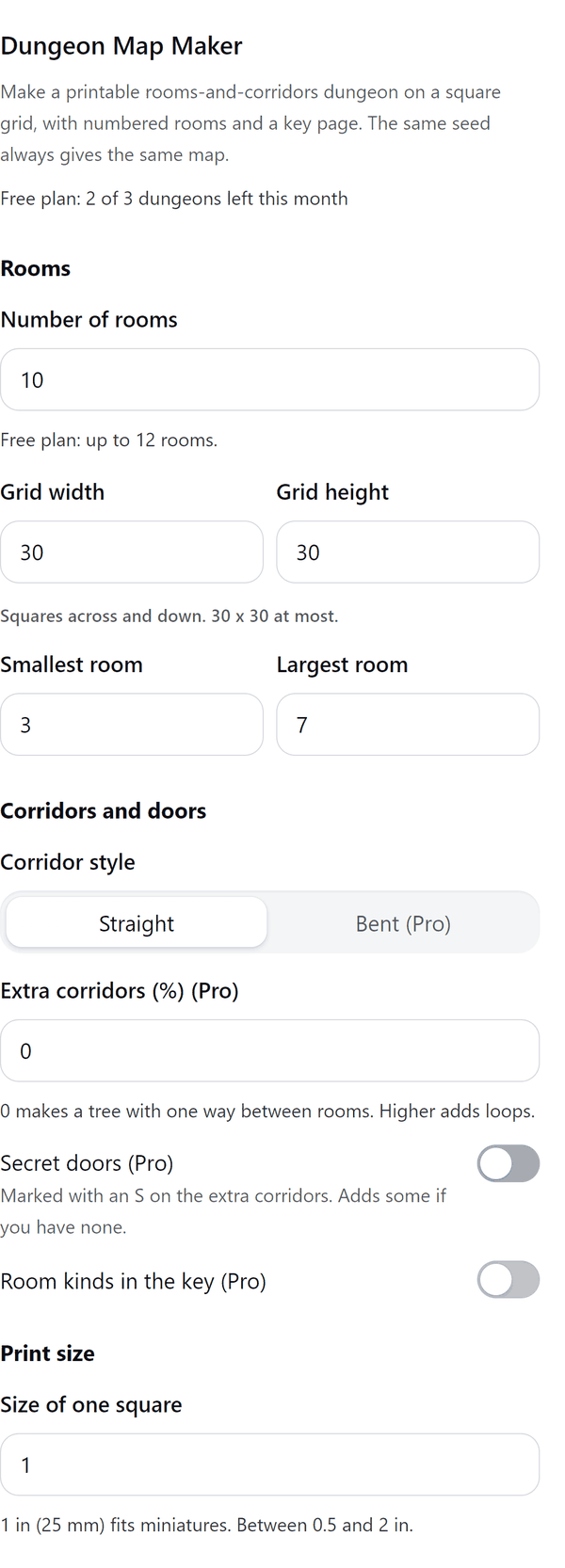
- Lets you set the number of rooms, the grid size, the smallest and largest room, and the size of one square in inches or millimetres
- Marks doors as brown bars, and secret doors as a circled S, on the map
- Adds a key page that lists every room number with a line for notes. With Pro the key can also name room kinds such as hall, cell, vault, shrine and cave
- Tells you how big the map page will be, and warns you if the map is too big for one Canva page or the design would hold too many pages
- Pro: bigger maps, bent corridors, loops, secret doors, room kinds and printing on several sheets. Print sheets at 100% and line them up edge to edge
How to use it
- Open a design and open Dungeon Map Maker from the Apps tab.
- Under Rooms set the number of rooms, the grid and the room sizes. Under Print size set the size of one square and the paper.
- Press Make the map and look at the Preview.
- Press the Add button under the preview to add the map page and the key page.
Free and Pro
Plan limits reset each calendar month (UTC). Pro is billed through Polar.
| Free | Pro | |
|---|---|---|
| Dungeons a month | 3 | Unlimited |
| Rooms | Up to 12 | Up to 60 |
| Grid | Up to 30 x 30 | Up to 80 x 80 |
| Corridors | Straight | Straight or bent, and loops |
| Secret doors | No | Yes |
| Room kinds in the key | No | Yes |
| Map layout | One page | One page or several sheets |
| Key page, seed, units, paper | Yes | Yes |
| Price | $0 | $5 per month or $35 per year |
Manage your Pro licence
You get a licence key by email after you buy Pro. Paste it into the app and press Activate licence. To use the key on another Canva account, press Deactivate this licence first. To restore Pro after a reinstall or on a new device, activate the same key again. To cancel, use the link in your Polar receipt email. Full steps: buying, restoring and managing Pro.
FAQ
Will I get the same map again?
Yes. The same seed and settings always make the same map. Press New seed for a different one.
How big can a map be?
Free: up to 12 rooms on a grid up to 30 x 30. Pro: up to 60 rooms on a grid up to 80 x 80. If the map is too big for one Canva page the panel says so; with Pro you can print it on several sheets.
What do the marks mean?
Brown bars are doors. A circled S marks a secret door. The key page lists the room numbers.
Can I print it at a real size?
Choose the size of one square, from 0.5 to 2 in (13 to 51 mm). Print at 100%. Sheets hold whole squares and line up edge to edge.
What counts as one dungeon?
Each map made and added to a design is one dungeon.
Does my map leave my computer?
No. It is made in your browser and added to your design through Canva. Our server only counts your monthly dungeons.
How do I get help?
Email [email protected] with the app name and a short description of what happened. Do not send your full licence key.
What data does this app keep?
See the Privacy Policy. In short: designs and images stay in your browser; our server keeps your Canva user and brand ids, monthly usage counts and your licence status.