Dither Studio
Dithered pictures and ASCII art from an image you select
What it does
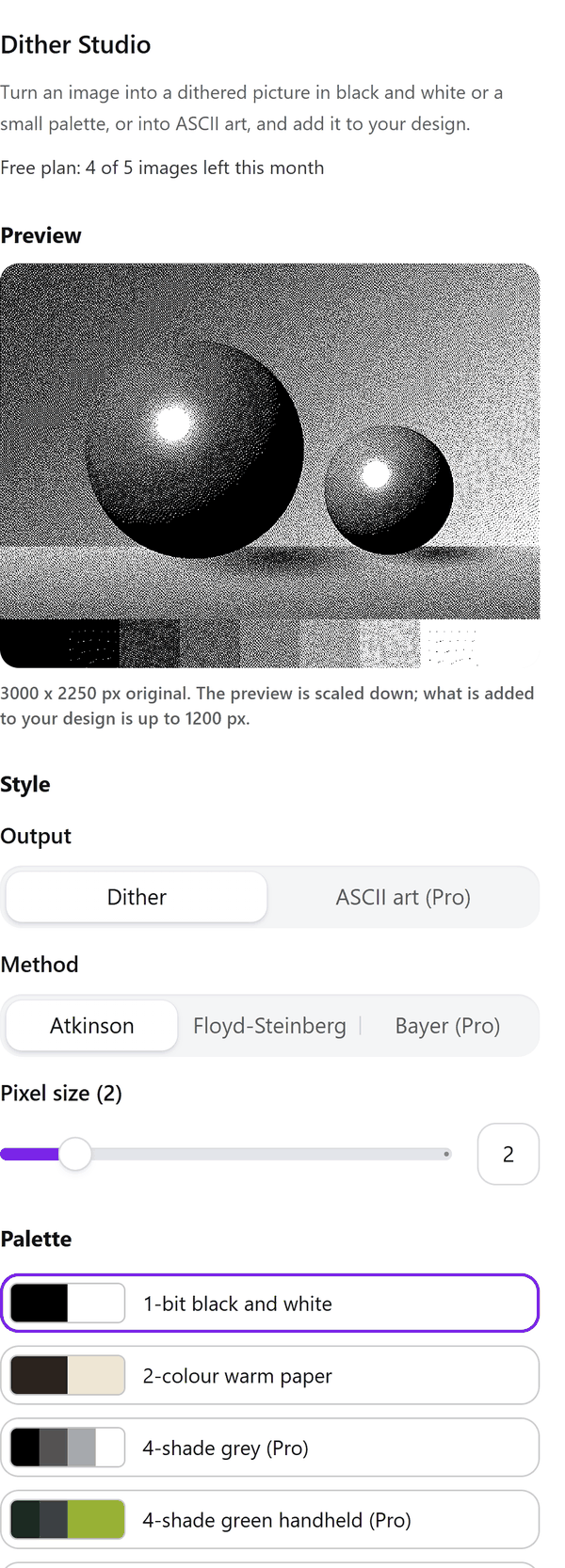
- Reads the image you select in your design: the app downloads it from Canva into your browser and works on it there. Until you select one, the preview shows a sample picture
- Turns it into a dithered picture with the method, palette, pixel size, contrast, gamma and threshold you choose, with a live preview
- Adds the finished picture to your design as an image, up to the longest side your plan allows. If the picture is too large for Canva to accept (10 MB), the panel says so and suggests a larger pixel size or a smaller image
- Pro: draws the picture as ASCII art with the number of characters across, a character set and light or dark characters; it is added as a sharp vector image
- Pro: Bayer patterns, all palettes and your own, a transparent background and bigger output
How to use it
- Open a design, click an image in it and open Dither Studio from the Apps tab.
- Choose the Method and the Palette. Set Pixel size, Contrast, Gamma and Threshold and look at the Preview.
- Press the Add dithered image to design button. The picture is added to your design.
Free and Pro
Plan limits reset each calendar month (UTC). Pro is billed through Polar.
| Free | Pro | |
|---|---|---|
| Images a month | 5 | Unlimited |
| Methods | Atkinson and Floyd-Steinberg | Also Bayer (2 x 2, 4 x 4, 8 x 8) |
| Palettes | 1-bit black and white and 2-colour warm paper | All 11 ready-made palettes and your own |
| ASCII art | No | Yes |
| Transparent background | No | Yes |
| Output size (longer side) | Up to 1200 px | Up to 4096 px |
| Pixel size, contrast, gamma, threshold | Yes | Yes |
| Price | $0 | $5 per month or $35 per year |
Manage your Pro licence
You get a licence key by email after you buy Pro. Paste it into the app and press Activate licence. To use the key on another Canva account, press Deactivate this licence first. To restore Pro after a reinstall or on a new device, activate the same key again. To cancel, use the link in your Polar receipt email. Full steps: buying, restoring and managing Pro.
FAQ
What is dithering?
A way of showing shades with only a few colours, using patterns of dots. A 1-bit picture uses just two colours.
Why is my picture smaller than the original?
The free plan adds up to 1200 px on the longer side and Pro up to 4096 px. The panel shows the size that will be added.
What if the finished picture is too large?
Canva accepts uploads up to 10 MB. If the picture is bigger, the panel tells you; try a larger pixel size or a smaller image.
Can I look at Pro options on the free plan?
Yes. Pro options show in the preview. Adding a picture that uses them needs Pro.
Does my image leave my computer?
No. The image is downloaded from Canva into your browser, made there, and the finished picture goes back into your design through Canva. Our server only counts your monthly images.
How do I get help?
Email [email protected] with the app name and a short description of what happened. Do not send your full licence key.
What data does this app keep?
See the Privacy Policy. In short: designs and images stay in your browser; our server keeps your Canva user and brand ids, monthly usage counts and your licence status.