Bracelet Patterns
Printable alpha and normal bracelet charts with a knot guide
What it does
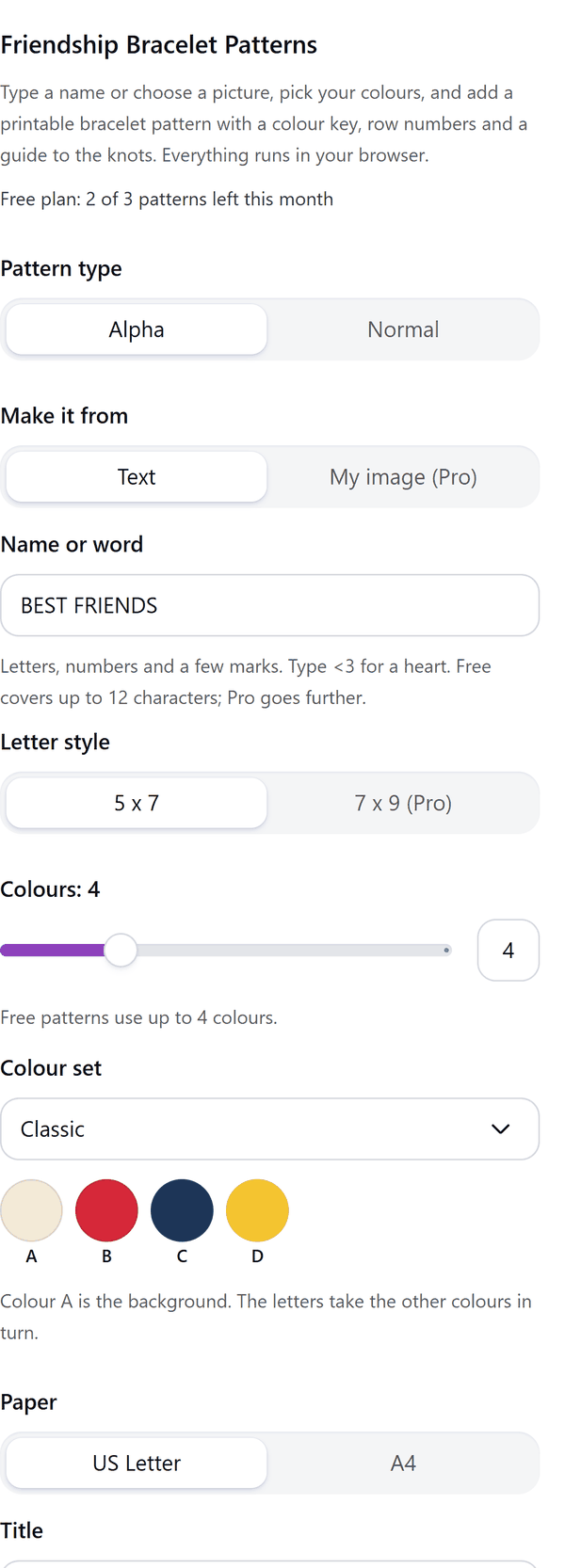
- Makes an alpha chart: a grid of colour squares that spells a name or word in knots, with each square one knot
- Makes a normal chart: rows of knot arrows for a design such as chevron, with the colour of each string shown
- Adds a key to the colours, row numbers, and a guide that explains the four knots: forward, backward, forward-backward and backward-forward
- Lets you pick a colour set or set each colour, and the paper size, US Letter or A4
- Pro: turns a selected picture into an alpha chart, lets you set each knot of your own normal design, and splits a long chart over several pages that carry on from the last row
- Puts the title, key and instructions on the page as text you can edit; charts print best in colour, because the squares are told apart by colour
How to use it
- Open a design and open Friendship Bracelet Patterns from the Apps tab.
- Choose Alpha or Normal. For Alpha, type a name or word. For Normal, pick a design and the number of strings.
- Pick your colours and the paper size, and look at the preview of the page.
- Press the Add to design button. The chart page is added after the page you are on.
Free and Pro
Plan limits reset each calendar month (UTC). Pro is billed through Polar.
| Free | Pro | |
|---|---|---|
| Patterns a month | 3 | Unlimited |
| Alpha chart from | A name or word, up to 12 characters | Also a selected image; up to 40 characters |
| Letter style | 5 x 7 | 5 x 7 and 7 x 9 |
| Colours | Up to 4 | Up to 10 |
| Normal designs | 3 | All 8, and custom knots |
| Strings | Up to 8 | Up to 20 |
| Pages per chart | 1 | Several |
| Price | $0 | $5 per month or $35 per year |
Manage your Pro licence
You get a licence key by email after you buy Pro. Paste it into the app and press Activate licence. To use the key on another Canva account, press Deactivate this licence first. To restore Pro after a reinstall or on a new device, activate the same key again. To cancel, use the link in your Polar receipt email. Full steps: buying, restoring and managing Pro.
FAQ
What is the difference between alpha and normal?
An alpha chart spells letters or a picture, with every square one knot. A normal chart shows a repeating design made by the direction of each knot.
Do I need to print in colour?
Colour is best. The squares and strings are told apart by colour, so a black and white print may lose the difference between them. The colour key names each string with a letter.
What counts as one pattern?
Each chart you add to your design counts as one of your monthly patterns, however many pages it has.
Which letters can I use?
Letters, numbers and a few marks. Type <3 for a heart. The panel lists any character the letter style cannot draw.
Can I edit the page after adding it?
The title, key and instructions are text you can edit in Canva.
Does my image leave my computer?
No. With Pro the image you select is read from Canva into your browser and turned into a chart there. Our server only counts your monthly patterns.
How do I get help?
Email [email protected] with the app name and a short description of what happened. Do not send your full licence key.
What data does this app keep?
See the Privacy Policy. In short: designs and images stay in your browser; our server keeps your Canva user and brand ids, monthly usage counts and your licence status.