Banner Letters
One flag per letter, with cut lines and string holes
What it does
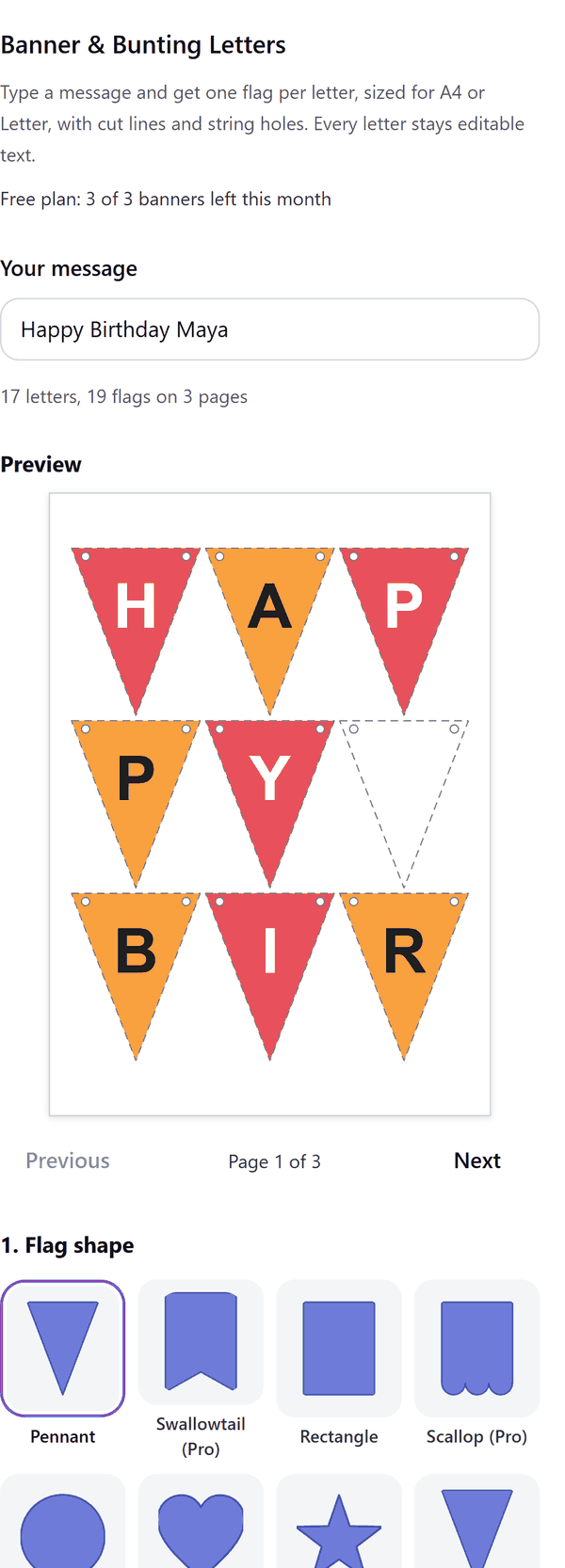
- Turns your message into one flag per letter, laid out on A4 or Letter pages with cut lines and string holes
- Keeps every letter as editable text in your design
- Shows a preview of each page and tells you the number of letters, flags and pages
- Lists any characters it left out, because flags cannot carry them
- Adds the pages one by one and lets you stop after a page; if the design becomes full, the pages made so far stay in your design
- Pro: more shapes, colour patterns, mini flags, A3 pages and longer messages. Bunting folds over the string, so it has no holes
How to use it
- Open a design and open Banner Letters from the Apps tab.
- Type your message under Your message and check the Preview.
- Choose the Flag shape, Flag size, Page size, Colour set and String holes.
- Press Make banner. The pages are added to your design. Print, cut along the dashed lines and thread the string through the holes.
Free and Pro
Plan limits reset each calendar month (UTC). Pro is billed through Polar.
| Free | Pro | |
|---|---|---|
| Banners a month | 3 | Unlimited |
| Flag shapes | Pennant and rectangle | Also swallowtail, scallop, circle, heart, star, bunting |
| Message length | Up to 20 letters | Up to 60 letters |
| Colour pattern | Two colours, alternating | Also 3, 4 or 5 colours and rainbow |
| Flag sizes | Large, medium, small | Also mini |
| Page sizes | A4 and Letter | Also A3 |
| String holes | Two, one or none | Two, one or none |
| Price | $0 | $5 per month or $35 per year |
Manage your Pro licence
You get a licence key by email after you buy Pro. Paste it into the app and press Activate licence. To use the key on another Canva account, press Deactivate this licence first. To restore Pro after a reinstall or on a new device, activate the same key again. To cancel, use the link in your Polar receipt email. Full steps: buying, restoring and managing Pro.
FAQ
How many pages will I get?
The panel shows the letters, flags and pages as you type, for example 17 letters on 3 pages. The flags per page depend on the flag size and the page size.
What if a character cannot be used?
The panel lists the characters it left out, because flags cannot carry them.
Can I edit a letter afterwards?
Yes. Every letter is text in your design, so you can change the font, size or colour in Canva.
What if my design gets full?
Canva limits the pages in a design. The pages made so far stay in your design and the panel tells you to open a new design and make the rest with a shorter message or bigger flags.
How do I print it?
Print at actual size, cut along the dashed lines and thread a string through the holes. Bunting folds over the string along the dashed line instead.
Does my message leave my computer?
No. The banner is made in your browser. Our server only counts your monthly banners.
How do I get help?
Email [email protected] with the app name and a short description of what happened. Do not send your full licence key.
What data does this app keep?
See the Privacy Policy. In short: designs and images stay in your browser; our server keeps your Canva user and brand ids, monthly usage counts and your licence status.