Badges & Seals
Starbursts, seals and ribbons with your own words
What it does
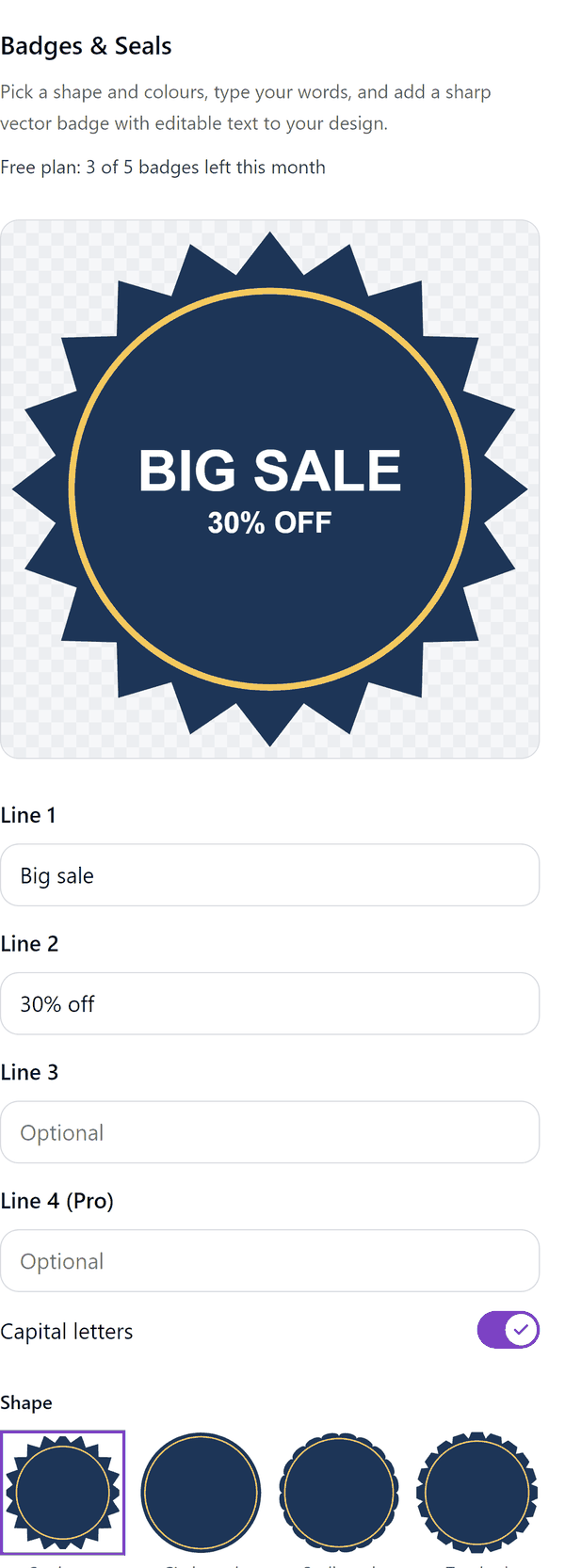
- Draws a badge from the shape, colours and words you choose and shows a preview as you type
- Adds the badge to your design as a Canva shape or as a sharp vector image, with the words as editable text on top
- Lets you switch capital letters on or off
- Pro: more shapes and colour sets, your own colour, gradient and metallic fills, point count and depth, arched text along the rim, a fourth line and sets of 6 or 12 badges on a page, with different colours across a set
How to use it
- Open a design and open Badges & Seals from the Apps tab.
- Type your words under Line 1, Line 2 and Line 3. Choose a Shape and a colour under Colours.
- Check the preview at the top of the panel.
- Press Add to design. Click the badge in Canva to change its colours, and edit the words like any text.
Free and Pro
Plan limits reset each calendar month (UTC). Pro is billed through Polar.
| Free | Pro | |
|---|---|---|
| Badges a month | 5 | Unlimited |
| Shapes | Starburst and circle seal | Also scalloped, toothed, double ring, shield, rosette and ribbon |
| Colours | Sale red, Gold, Navy | Also six more sets and your own colour |
| Fill | Flat | Also gradient and metallic |
| Lines of text | Up to 3 | Up to 4 |
| Arched text | No | Yes |
| Sets of 6 or 12 on a page | No | Yes |
| Price | $0 | $5 per month or $35 per year |
Credits
Arched text is drawn from three fonts bundled with the app, unmodified: Bebas Neue, Montserrat and Marcellus. Each is licensed under the SIL Open Font License 1.1 (OFL).
Manage your Pro licence
You get a licence key by email after you buy Pro. Paste it into the app and press Activate licence. To use the key on another Canva account, press Deactivate this licence first. To restore Pro after a reinstall or on a new device, activate the same key again. To cancel, use the link in your Polar receipt email. Full steps: buying, restoring and managing Pro.
FAQ
Can I change the words after adding the badge?
Yes. The words are editable text on top of the badge. If the badge is a Canva shape you can also change its colours in Canva.
How does the arched text work?
Pro only, on round shapes. Line 1 follows the top rim and line 3 the bottom, drawn as vector outlines. Line 2 stays as editable text in the middle.
Can I make several badges at once?
Yes, on Pro. Add set of 6 or Add set of 12 puts that many badges on a new page. Each badge is its own group, so you can change the words on each one.
Can I look at Pro options on the free plan?
Yes. Pro shapes, colours and options show in the preview. Adding the badge needs Pro.
Can I resize the badge?
Yes. A badge added as a vector image stays sharp at any size.
Does my badge leave my computer?
No. The badge is made in your browser. Our server only counts your monthly badges.
How do I get help?
Email [email protected] with the app name and a short description of what happened. Do not send your full licence key.
What data does this app keep?
See the Privacy Policy. In short: designs and images stay in your browser; our server keeps your Canva user and brand ids, monthly usage counts and your licence status.